.svg)
Point of Sale (POS)
Quick checkout with a fully integrated POS
Checkout without hassle
A customer who wants to pay quickly doesn't want to wait. With the LogicTrade POS you check out in seconds, whether it is a quick accessory purchase or a complete furniture set with a deposit in your home furnishing store.
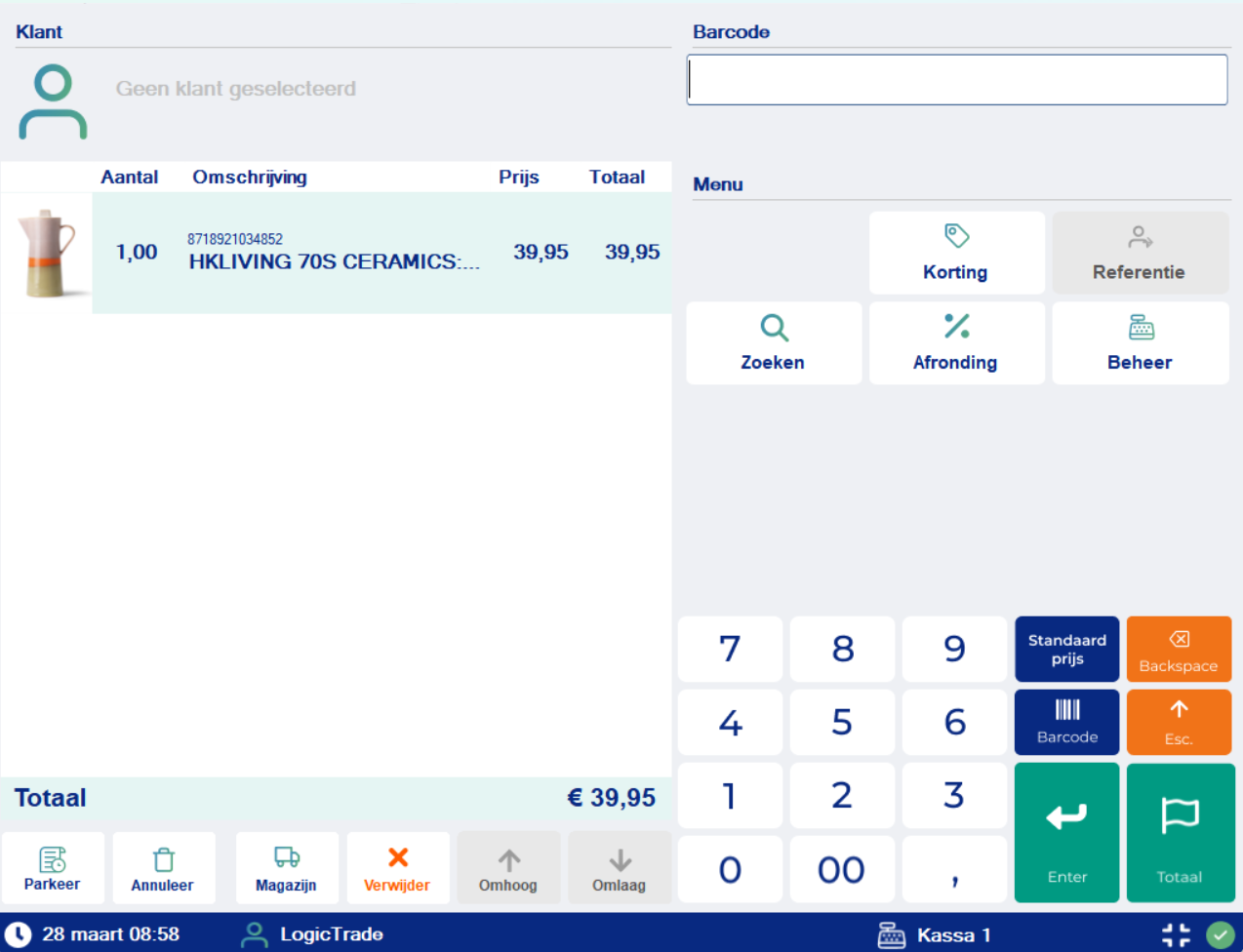
No separate POS system, no standalone payment terminal, no manual receipts. Everything is in LogicTrade. Scan a barcode, search for an item, or select from your quick buttons. Payment by card, cash, gift voucher or a combination.
Fully integrated
The great advantage of the LogicTrade POS? Full integration with your inventory, customer data and accounting. A POS sale immediately reduces your stock, the customer enters your CRM, and the receipt flows through to your accounting.
 SalesAssist

Problems that Point of Sale (POS) solves
- Separate POS system - Standalone POS that doesn't communicate with your inventory and accounting
- Double entry - Manually entering POS sales into the other system afterwards
- No customer history - POS sales are anonymous, no link with CRM
- Slow checkout - Looking up items takes too much time, customers are waiting
- Combined payments difficult - Part card, part cash? It becomes a puzzle
- No overview - Daily revenue? Manually counting and calculating at the end of the day
Benefits of Point of Sale (POS)
⚡ Lightning-fast checkout
Scan, select, pay. Done in three steps. Quick buttons for your best-selling items make it even faster.
💳 All payment methods
Card, cash, gift voucher, on account or a combination. The customer pays however suits them best.
📱 Mobile checkout
With the digital sales tablet you check out in the showroom. No queue, personal service.
🔗 Fully integrated
Inventory, CRM, accounting - everything is automatically updated with every POS sale.
🎁 Gift vouchers
Sell and accept gift vouchers. LogicTrade tracks the balance and processes partial payments.
📊 POS reports
End-of-day closing with complete overview: revenue per payment method, per employee, per product group.
How does Point of Sale (POS) work?
Add items
Scan the barcode, search by item number or select via quick buttons. The price is filled in automatically.
Link customer (optional)
Search for the customer or create a new one directly. Useful for warranty and marketing campaigns.
Process payment
Choose the payment method: card, cash, gift voucher or combination. The payment terminal is triggered automatically.
Print or email receipt
Print the receipt or email it to the customer. Inventory and accounting are updated automatically.



Ready to start with Point of Sale (POS)?
 Available in LogicTrade Pro from €359/month
Discover how Point of Sale (POS) can optimize your workflows.